CloudMakers

Astronomy software ecosystem

CloudMakers

We build native astronomy and astrophotography tools for macOS, iOS, iPadOS, and Linux, and co-founded the INDIGO Initiative for modern distributed astronomy software. Our apps integrate imaging, guiding, mount and other hardware control, solving, and scripting into one practical imaging workflow.

INDIGO framework macOS and iOS/iPadOS Distributed imaging
INDIGO Sky
Imager Agent
Guider Agent
Mount Agent
Astrometry Agent
Scripting Agent
Imager Agent
CameraASI2600MM
Exposure120s
FrameLight
FilterHa
Cooling-10 C
StatusSolved
Scale1.42"/px
RA05h35m
DEC-05 23
INDIGO Initiative

Built around the INDIGO Initiative.

INDIGO is a modern alternative to the older INDI framework, designed for multiplatform and distributed astronomy software.

Our applications can talk to built-in or remote INDIGO servers, including setups where a macOS or iOS client controls hardware through a Raspberry Pi or another Linux machine.

To check hardware compatibility or download server packages, visit the INDIGO Initiative pages.

Products

The product line covers complete acquisition workflows as well as focused utilities for common astronomy tasks.

INDIGO A1 on mobile

INDIGO A1

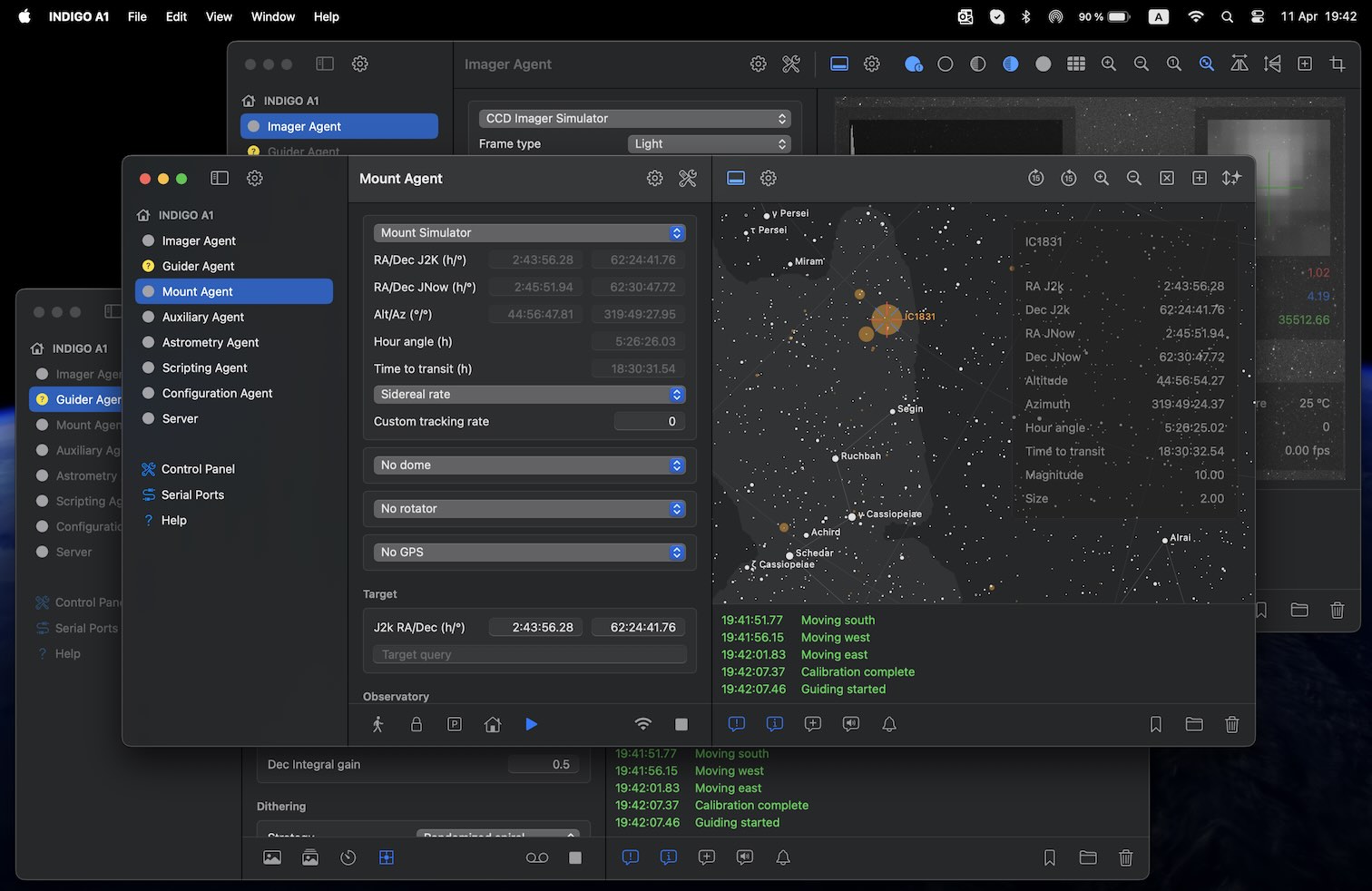
INDIGO A1 is a multiplatform graphical client for built-in or external INDIGO servers on macOS, iPadOS, and iOS. It brings image capture, guiding, mount operation, plate solving, automation, and monitoring into one workspace. The app can control cameras, filter wheels, focusers, mounts, and auxiliary devices while keeping feedback about equipment state and imaging progress visible. Scripting and automation tools help users build repeatable capture sequences for local or distributed setups.

Download on the App Store Watch video
INDIGO Control Panel screenshot

INDIGO Control Panel

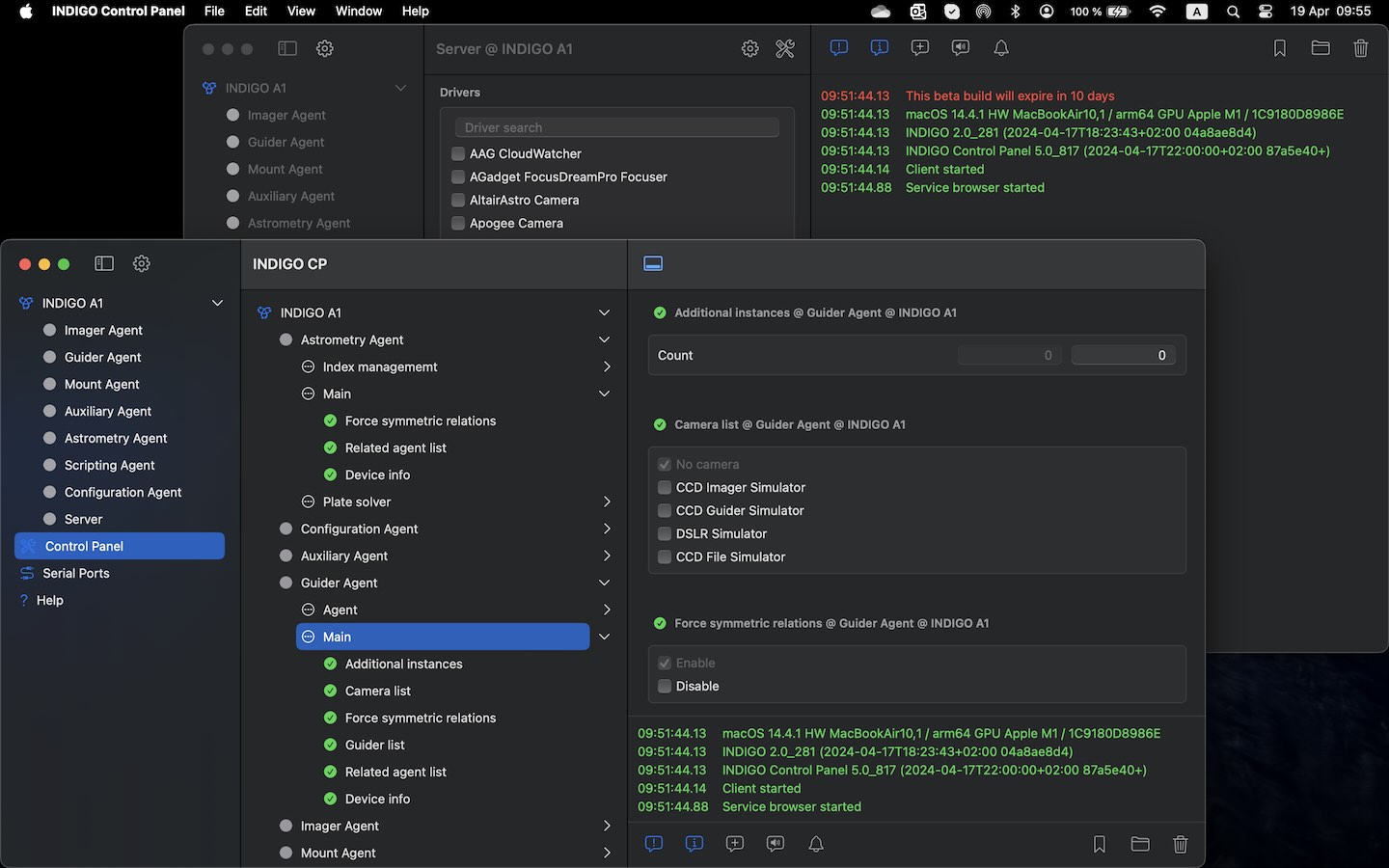
INDIGO Control Panel is a lightweight companion for direct access to INDIGO and INDI server functionality. It focuses on server configuration, serial port settings, and clear inspection of agent properties without the full agent-specific panels included in INDIGO A1. The app is useful when you need straightforward control and diagnostics rather than a complete imaging workspace. It runs on macOS, iPadOS, and iOS, making it practical for quick checks at the computer or in the field.

Download on the App Store Watch video
INDIGO Astrometry screenshot

INDIGO Astrometry

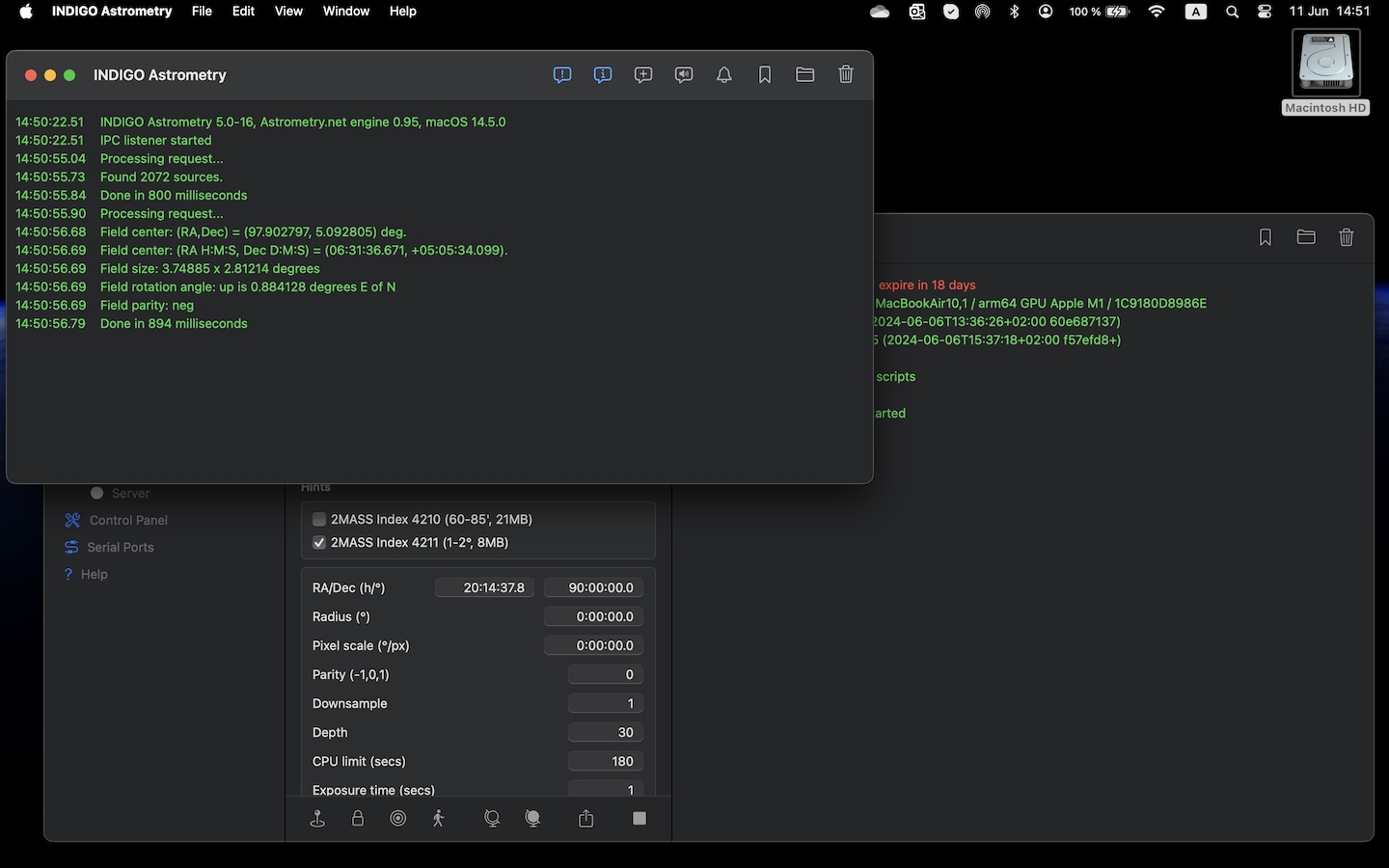
INDIGO Astrometry is a streamlined native macOS port of the astrometry.net system with an IPC service and a small GUI wrapper. It integrates with the Astrometry agent in INDIGO A1 and other INDIGO-based macOS backends to provide local image solving. This package deliberately omits Python scripts and third-party image conversion tools, focusing on fast FITS-based solving without extra plotting output. Astrometry is free and open source.

Free download
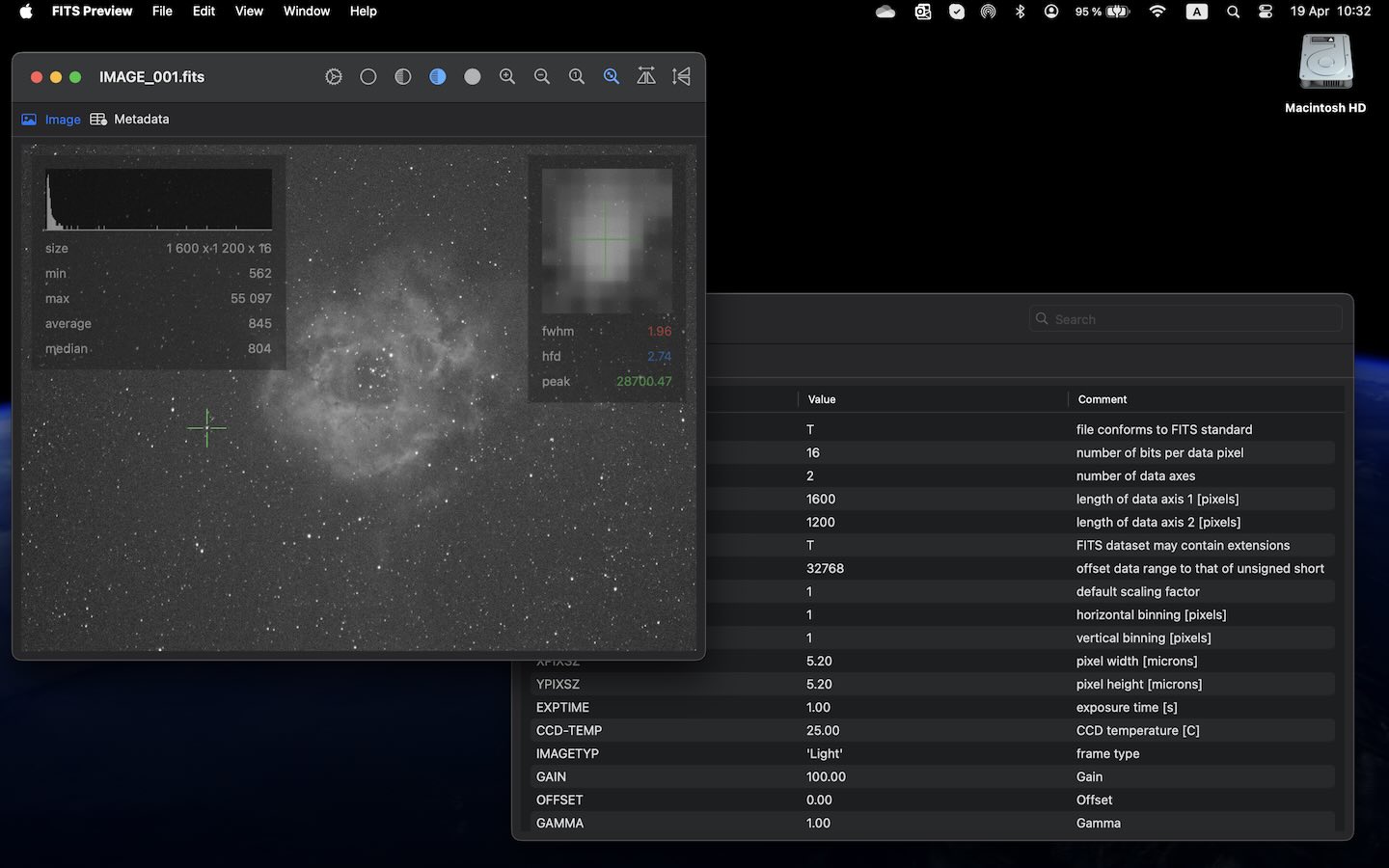
FITS Preview screenshot

FITS Preview

FITS Preview is a fast viewer for astronomical images stored in the FITS format. It opens files directly from Finder, fits the image to the window, and automatically optimizes brightness for quick inspection. The app also provides orientation tools, FITS header review, histogram inspection, and raw color preview using Bayer matrix settings. It is built on CFITSIO and supports common monochrome and color FITS workflows without the overhead of a full editor.

Download on the App Store Watch video

Support

Find answers to common questions below, or reach out to us directly.

FAQ

What operating systems do these products support?
INDIGO A1 runs on macOS (built-in server and client), iPadOS (client only), and iOS (client with some limitations). INDIGO Control Panel runs on macOS, iPadOS, and iOS. Astrometry and FITS Preview are macOS only. Other INDIGO-based products may run on Linux or Windows — the most notable is INDIGO Sky, a Linux distribution for Raspberry Pi with a pre-installed INDIGO server and web GUI.
What astronomical hardware is supported by INDIGO A1?
INDIGO A1 supports any hardware for which an INDIGO driver is available. The complete and up-to-date list of supported devices can be found on the INDIGO hardware compatibility page.
Each driver entry includes a README describing its status and the specific devices it handles.
Can I upgrade from a legacy product to INDIGO A1?
Yes. If you purchased INDIGO D1, AstroImager, AstroGuider, AstroTelescope, AstroDSLR, or MacroDSLR, update it to the most recent version and run it at least once on the same machine where you plan to install INDIGO A1. Once you install INDIGO A1 it will offer one or more of its features as in-app purchases that can be unlocked for free.
Can I try the products for free?
Yes. INDIGO A1, INDIGO Control Panel, and FITS Preview can be downloaded from the App Store and include a free 14-day trial of all features with no limitations. After the trial you can purchase only the features you actually need. Astrometry is free and open source for everyone.
Do I need to purchase macOS and iOS/iPadOS products separately?
No. macOS and iOS/iPadOS versions of each product share in-app purchases, so buying a feature once unlocks it across all supported platforms. Note that the free upgrade from a legacy product must be claimed on macOS, on the same machine where the legacy product was installed.
Can INDIGO A1 control devices directly from an iPad or iPhone?
INDIGO A1 on iPadOS and iOS is a client only — a system limitation prevents running a server on these platforms. Devices must be connected to a computer running an INDIGO server, such as INDIGO A1 with its built-in server on a Mac, or INDIGO Sky on a Raspberry Pi.
How do I run the application in Rosetta?
Some drivers depend on a third-party SDK that has not yet been ported to Apple Silicon. In that case you need to open the application under Rosetta: locate it in Finder (usually in /Applications), right-click it and choose Get Info, then tick Open using Rosetta, and relaunch the app. From that point it will run translated until you uncheck the option.
Are INDIGO and INDI interoperable?
At the protocol level, INDIGO maintains compatibility with the legacy INDI protocol, so an INDI server can be connected to and controlled by apps such as INDIGO Control Panel. In practice however, the two ecosystems have diverged significantly at the logical level, and many INDI drivers can no longer be used with INDIGO agents.
How do I capture a debug or trace log to diagnose a problem?
Navigate to INDIGO A1 > Server > Log level and select Debug messages, Bus trace messages, or All trace messages as needed. Reproduce the problem, then save the log by clicking the Export log to file button (folder icon) in the log panel. Remember to reset the log level back to Error only afterwards for better performance.

For other questions or community support, contact us at info@cloudmakers.eu or visit the user forum.

For more information about the INDIGO ecosystem, visit the INDIGO Initiative website.

Archive

INDIGO A1 version 5 includes the earlier version 4 products as free or paid options. These are no longer actively developed, although an occasional release with a newer INDIGO 2.0 version may still be made. This is not guaranteed.

Download retired products